
Honeycam GIF Maker1.04 - Download
You'll be able to download in few seconds.
Publisher Description
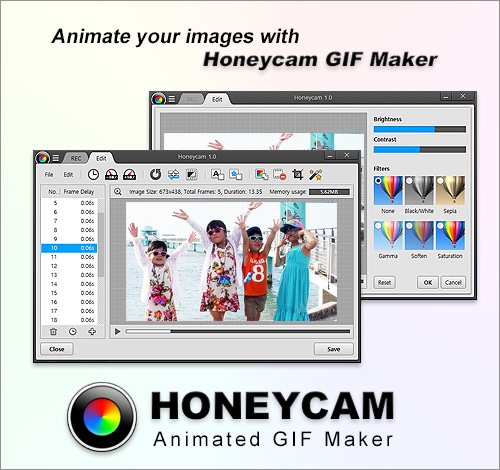
Honeycam is the best animated GIF maker and editor software.
Honeycam allows users to capture their computer screen, YouTube videos, or media players and save them as animated GIF/WebP/WebM image files.
Users can create an animated image by using the recording function or the importing function of Honeycam which allows users to import a series of pictures (JPG, PNG, etc.) taken through a camera's burst mode (continuous shooting mode).
Users also can open existing animated image files (GIF, WebP, etc.) created by other programs and edit them to make their own animated images.
Honeycam uses various optimization technologies to decrease the size while keeping the original image quality and uses random access memory (RAM) to increase the capturing/editing speed, so users can make animated GIFs in high speed, with a high compression ratio, and in high quality.
In addition, the program offers useful features such as 10% faster/slower, reverse playback, yo-yo effect, FPS control, deleting frames, cropping, resizing, importing, text/image watermark, transition effects, filters, etc.
Created images can be directly uploaded to free image sharing services, so users can easily share animated images on Facebook, Twitter, messengers, forum.
All in all, Honeycam may meet the requirements of all users who want to make, edit, and share animated GIF images.
About Honeycam GIF Maker
This Animation Tools program is available in English, Arabic, Bulgarian, ChineseSimplified, ChineseTraditional, Croatian, Czech, Dutch, Finnish, French, German, Hungarian, Italian, Persian, Polish, Portuguese, Romanian, Russian, Slovak, Slovenian, Turkish. It was last updated on 02 November, 2026. Honeycam GIF Maker is compatible with the following operating systems: Windows, Windows-mobile.
The company that develops Honeycam GIF Maker is Bandisoft. The latest version released by its developer is 1.04.
The download we have available for Honeycam GIF Maker has a file size of 3.1 MB. Just click the green Download button above to start the downloading process. The program is listed on our website since 2016-10-10 and was downloaded 0 times. We have already checked if the download link is safe, however for your own protection we recommend that you scan the downloaded software with your antivirus. Your antivirus may detect the Honeycam GIF Maker as malware if the download link is broken.
How to install Honeycam GIF Maker on your Windows device:
- Click on the Download button on our website. This will start the download from the website of the developer.
- Once the Honeycam GIF Maker is downloaded click on it to start the setup process (assuming you are on a desktop computer).
- When the installation is finished you should be able to see and run the program.
Program Details
General
System requirements
Download information
Pricing
Version History
version 1.04
posted on 2016-10-10
Bug fixed - Some GIF files played slowly if they were set to over 50 FPS in Honeycam.
version 1.02
posted on 2015-07-06
1. Added the Slovak language file.
2. Bug fixed - the end parts of the animated images' quality was poor when saving as WebP format.
3. Other minor bugs fixed.
Disclaimer
External Download
We do not host Honeycam GIF Maker on our servers. We did not scan it for viruses, adware, spyware or other type of malware. This app is hosted by the software publisher and passed their terms and conditions to be listed there. We recommend caution when installing it.
The external download link for Honeycam GIF Maker is provided to you by apps112.com without any warranties, representations or guarantees of any kind, so access it at your own risk.
If you have questions regarding this particular app contact the publisher directly. For questions about the functionalities of apps112.com contact us.
